BEBS mixes dating, events, and chat. I redesigned the event screen, where people opened an event and left without booking a ticket

Overview
Why do people open an event and not book it?
Events is where BEBS makes money. The user opens an event from a Reels-style feed and books a ticket. The same screen also shows the map, the details, who's going, and the event chat. I owned this one screen.
Problem
Most people never reached the Book button
There was no analytics inside the screen, but the top-level funnel was enough to see the leak.
1. 68% left before the bottom of the screen.Book sits at the very end, and most users never scrolled that far.
2. 6% of event opens ended in a booking.People were interested enough to open the event, then got lost.
3. Saved events were almost never opened again.Users saved to two different places and couldn't find either later.
Screen review
I wrote down what the user comes to do, and what stops them
Before touching the layout, I listed the key actions, what we want at each one, and why it wasn't happening.
| User's action | What we want | Why it doesn't happen |
|---|---|---|
| Decide if the event is worth it | Date, place, and price read in seconds | A big map and a wall of text come first. The price is small, near the bottom. |
| See who's going | Open the guests and feel safe going | Avatars are static. "Show all" is a tiny link. |
| Save for later | One save, easy to find again | A heart and a bookmark do almost the same thing. |
| Book a ticket | Tap Book without hunting for it | Book is last. Chat and Report sit right above it and look almost as important. |
UX audit
This is how the screen looked when I started
Every section has the same weight, so nothing leads the eye to booking.
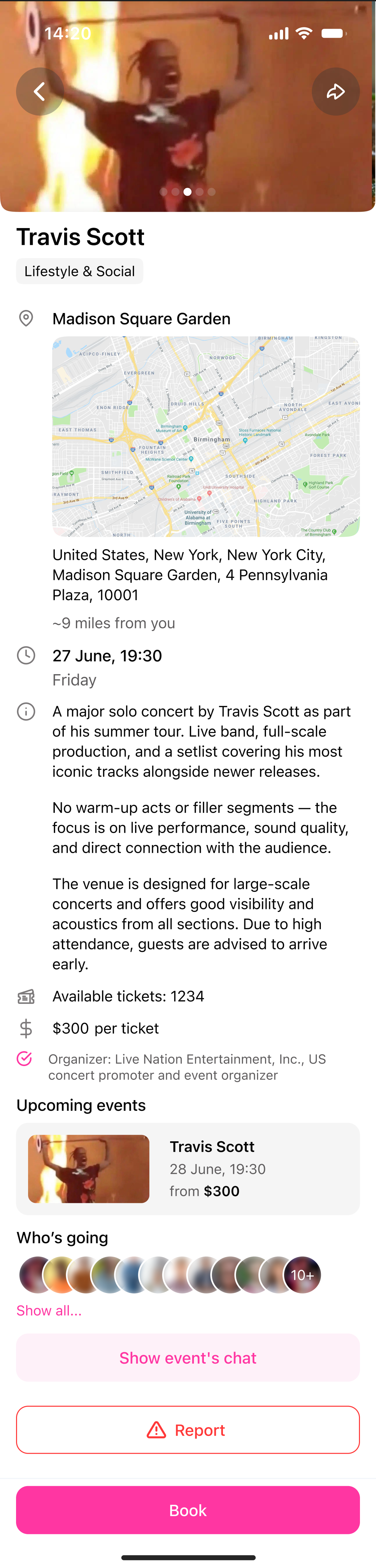
Controls get lost on bright photos.
Back and Share sit on the photo with no backing, so on a bright image they almost disappear.
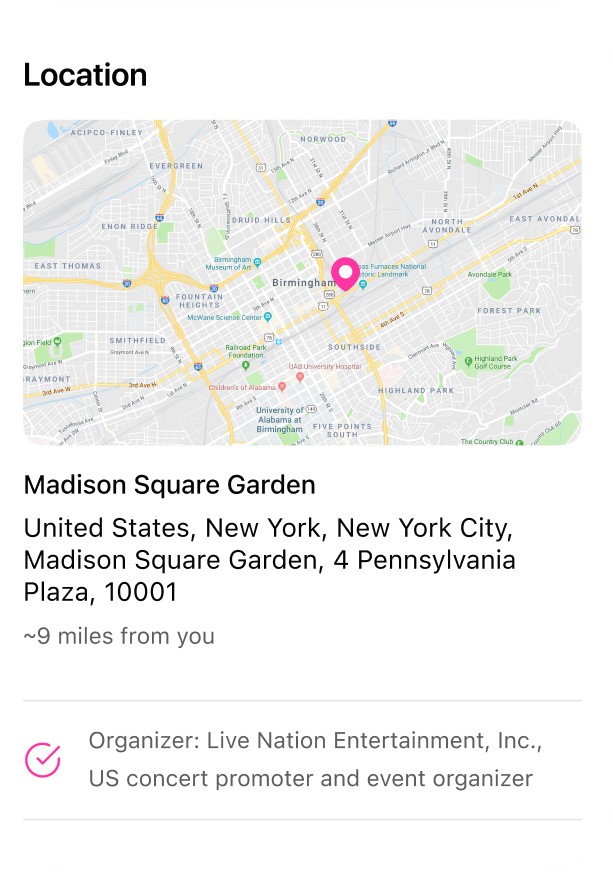
The map takes the prime spot.
It's the biggest block on the screen, but the user needs the place name, not a map, to decide.
A wall of text.
Three paragraphs push the date, price, and Book down. Nobody reads them before deciding.
Price is the quietest line.
The number the user decides on is small and grey, between tickets left and the organizer.
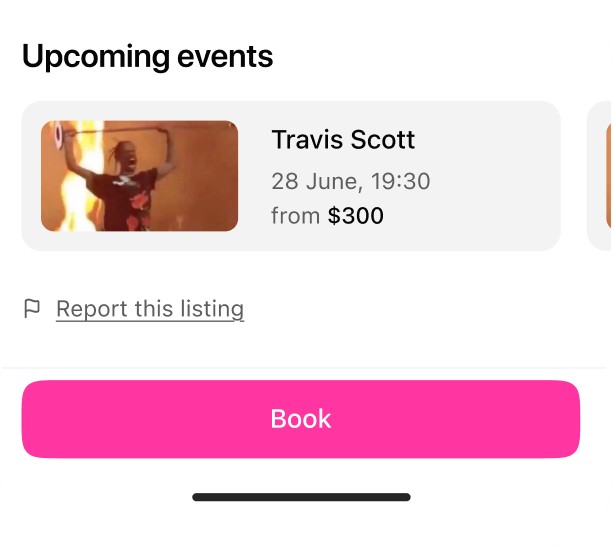
Upcoming events repeats the same event.
The section shows the event the user is already looking at.
Who's going can't be opened.
Social proof is the strongest reason to go, but the avatars are static and "Show all" is a tiny link.
Chat competes with Book.
A pink button right above Book looks like a second main action.
Report weighs almost as much as Book.
A rare, negative action gets a full-width red button in the prime zone. Some testers read it as a warning about the event.
Book is the last thing on the screen.
The main action is only visible after a long scroll, and the sections above it all look the same.
Usability testing
Then I watched people use it
I ran moderated sessions with 6 app users. One task: find an event this weekend, decide if it's worth it, and book a ticket.
1. 4 of 6 scrolled up and down looking for the price.They found the map and the description first, and the price last.
2. 5 of 6 could not explain the heart and the bookmark.Both turned pink, and both showed almost the same toast.
3. 3 of 6 tapped the avatars in Who's going.Nothing happened. They wanted to see who they would meet.
4. 2 of 6 stopped at the red Report button.They thought something was wrong with the event.
Goal and hypotheses
My goal was a clear hierarchy, so booking is the obvious next step
Clear sections that read in the order the user decides: what, when, how much, who's going, book.
1. If date, place, and price sit right under the photo,the user decides faster, and more of them reach Book.
2. If Book stays pinned at the bottom,the user can book from anywhere on the screen, not only after a full scroll.
3. If Report becomes a small link at the end and chat becomes secondary,Book stops competing with them, and more taps go to booking.
4. If the avatars open the guest list,the user sees who's going, and social proof turns into bookings.
5. If the heart and the bookmark get different roles,the user saves on purpose, and comes back to saved events.
Process
I reviewed the screen in rounds, not as one handoff
The first round was four black-and-white wireframes, from the version after review notes to a fix for the Save to Wishlist and Book buttons. I tested them with users before any colour went in. Each next round looked at the screen through four lenses and checked what was fixed and what broke next to it.
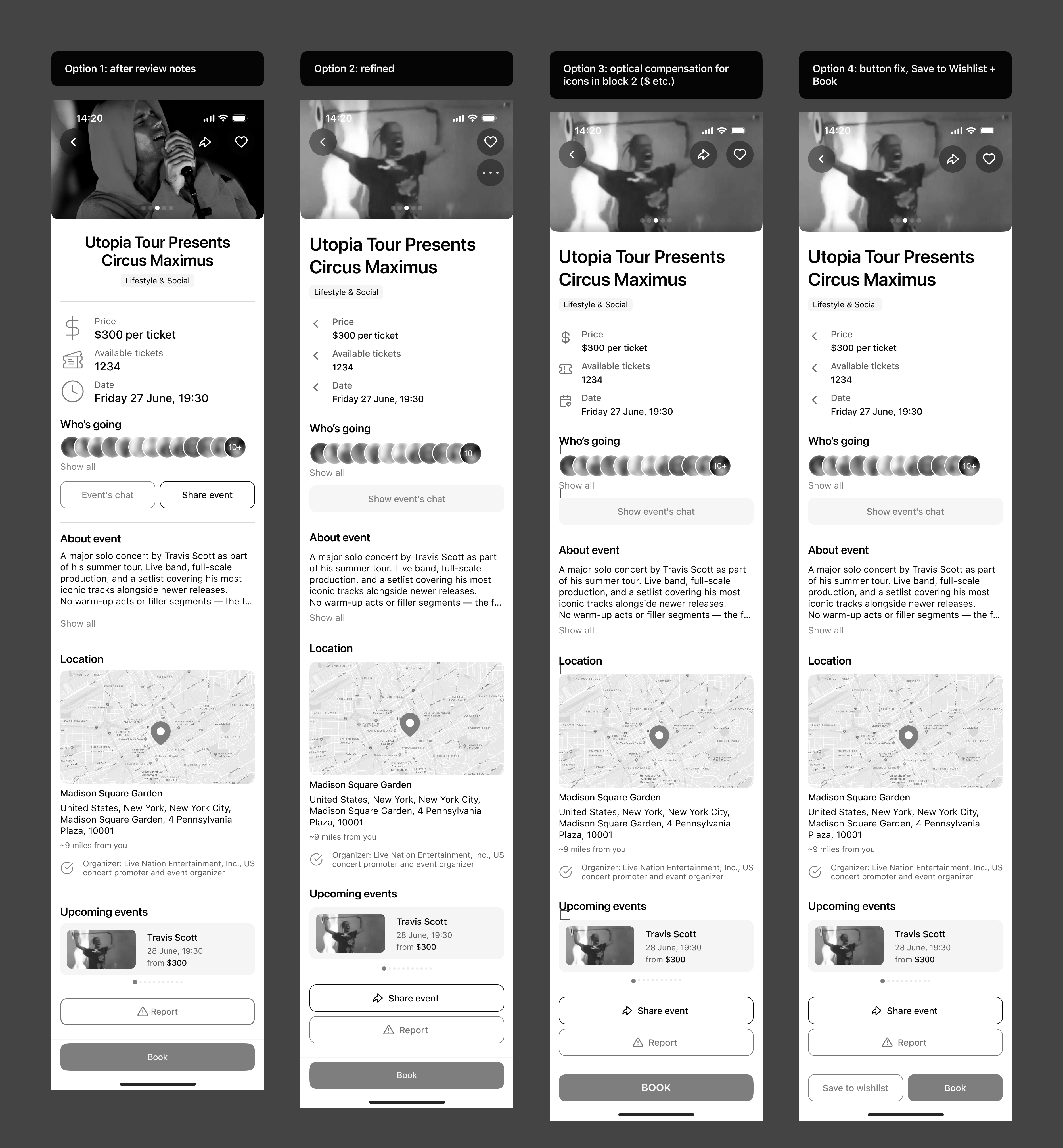
1. Hierarchy and the main action.What matters most, and whether the buttons compete.
2. Every state.Not only the happy path: loading, empty, error, and toasts.
3. Structure and copy.Clear actions, consistent names, the right tone.
4. Options, not taste.Every open question got two or three options, picked by a criterion: A/B layouts, pink vs grey, grid vs row.
New screens
Then I drew new screens with less on them
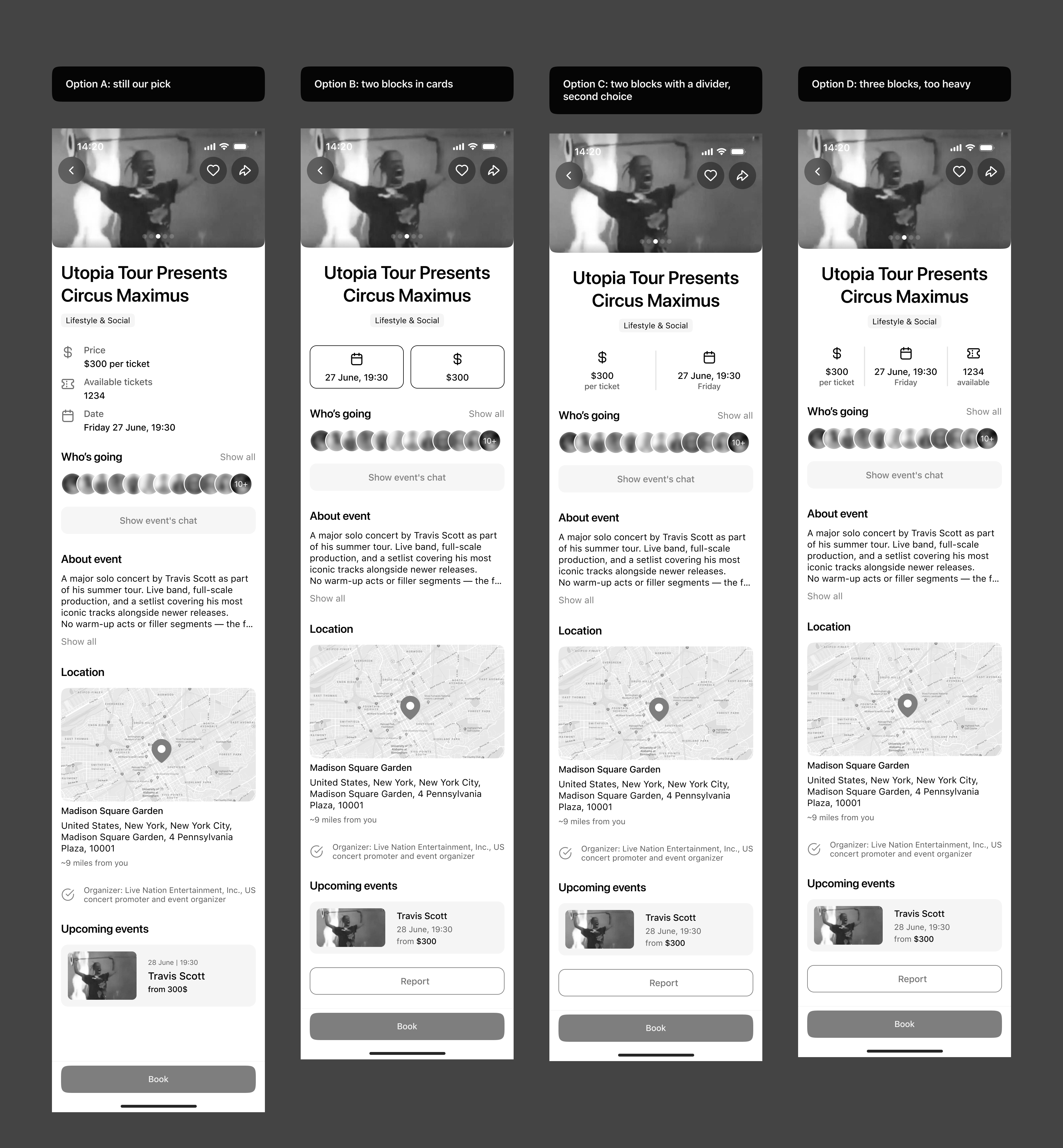
After testing, I went back to research and redrew the screen with a new look. Buttons that were not needed or did the same job twice went away: Report left the prime zone, and chat and share stopped competing with Book. Here are four layouts for the key facts, from one list to three blocks in a row. We kept the list, three blocks were too heavy.
Solution
The final screen reads in the order the user decides
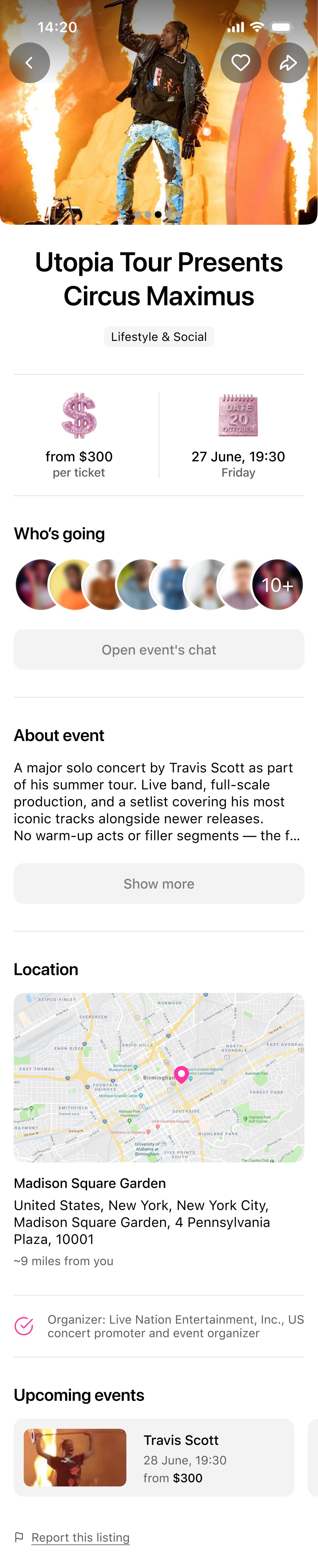
The final event screen zone by zone, and why each zone sits where it is. Then the whole screen in motion, with Book pinned at the bottom.
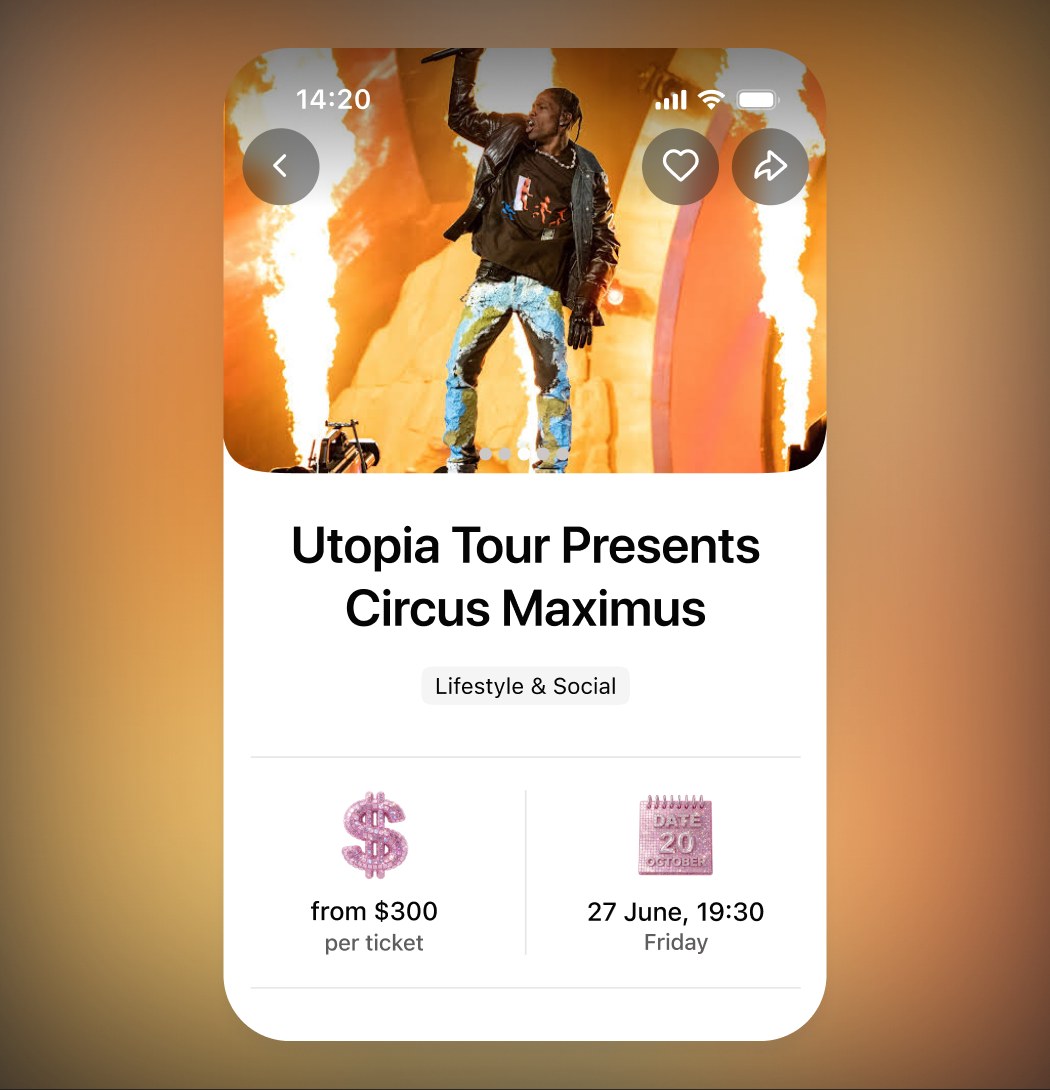
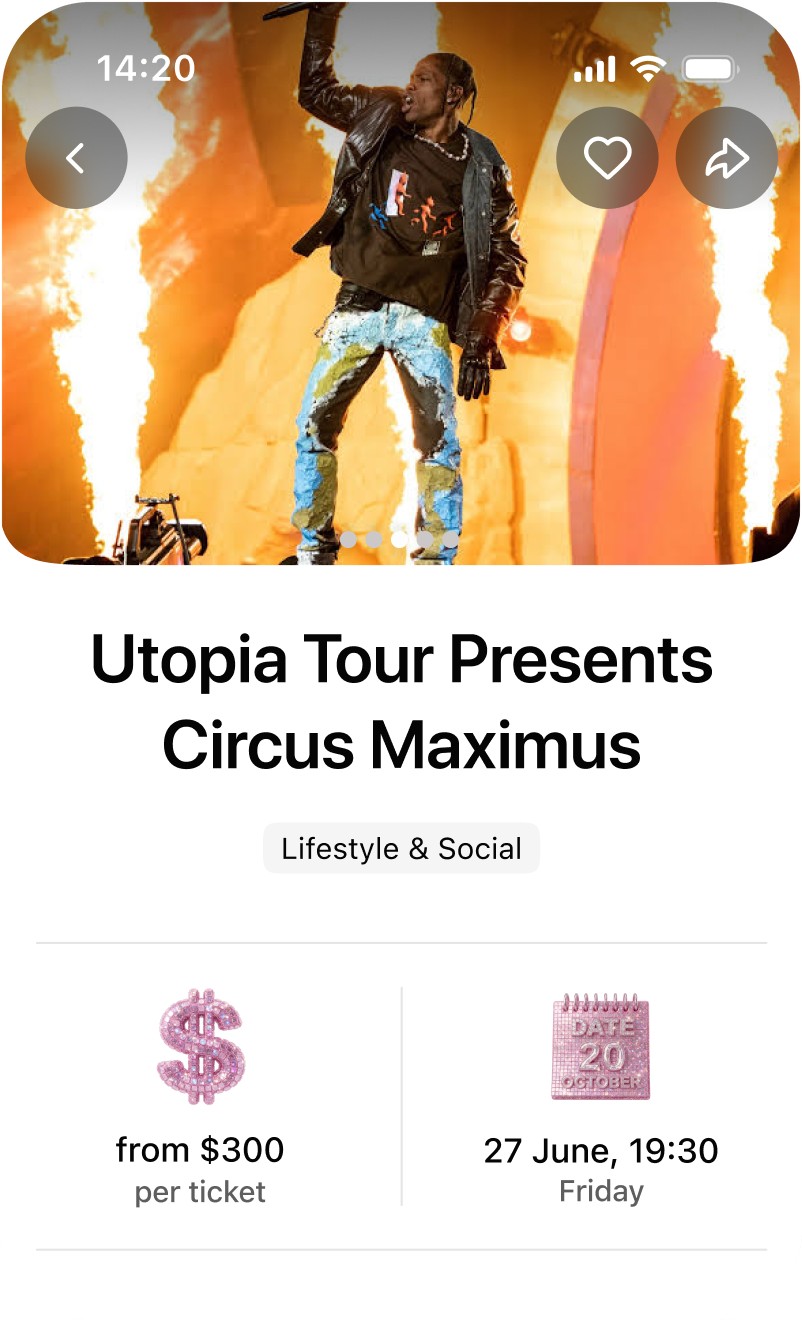
A bigger photo, then price, date and time
I gave the photo more room, so the event sells itself before the user reads a word. The card only had Share, so I added a heart for favourites next to it. Right under the title come price, date and time, the first things the user checks. I generated 3D icons for them in the brand style to catch the eye.
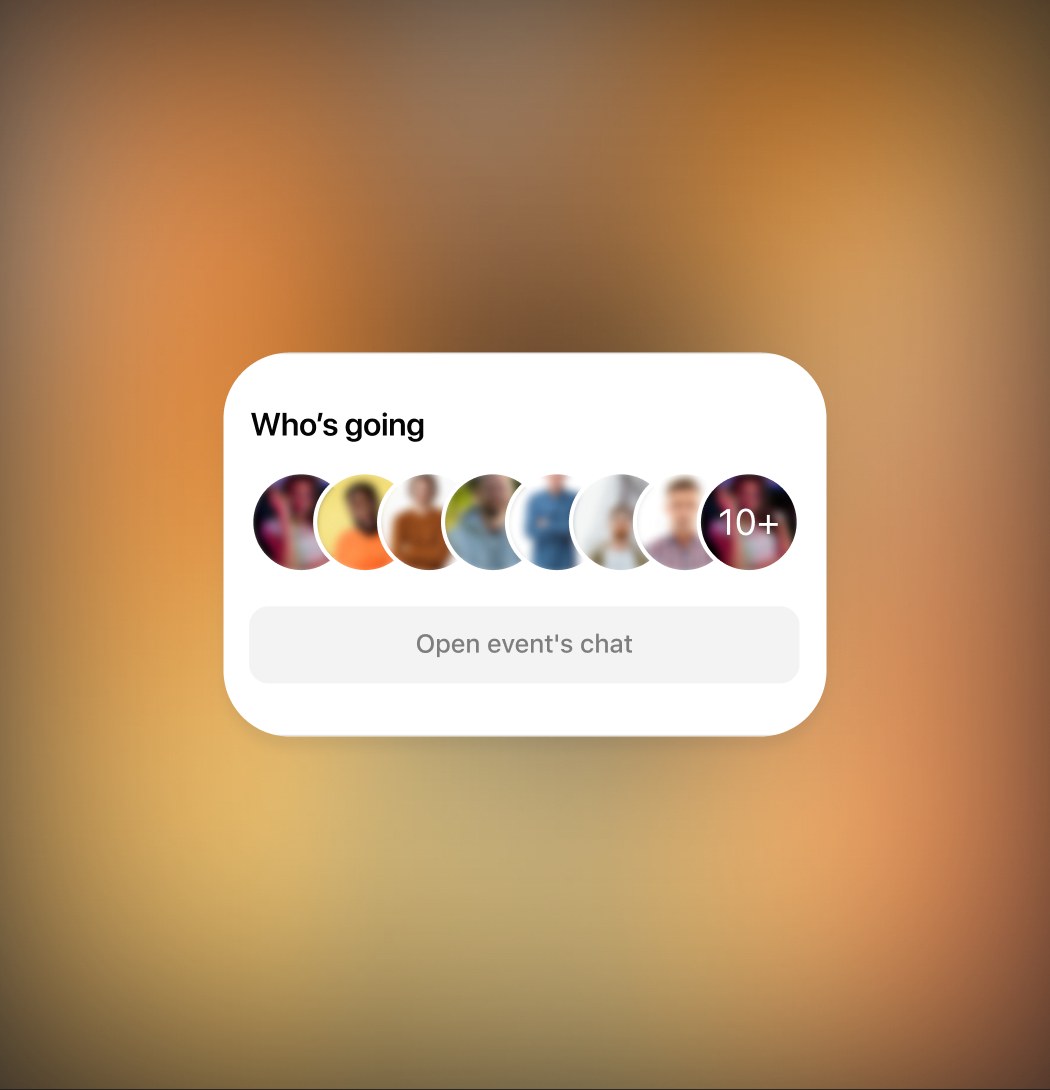
Then who's going, because BEBS is social
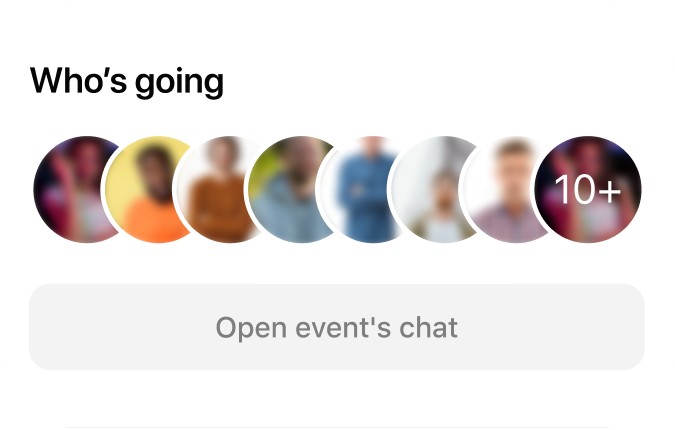
A core mechanic is finding someone to go with, or gifting a friend a ticket. So the faces come right after the price, and they open the guest list. The event chat is a quiet grey button below and no longer competes with Book.
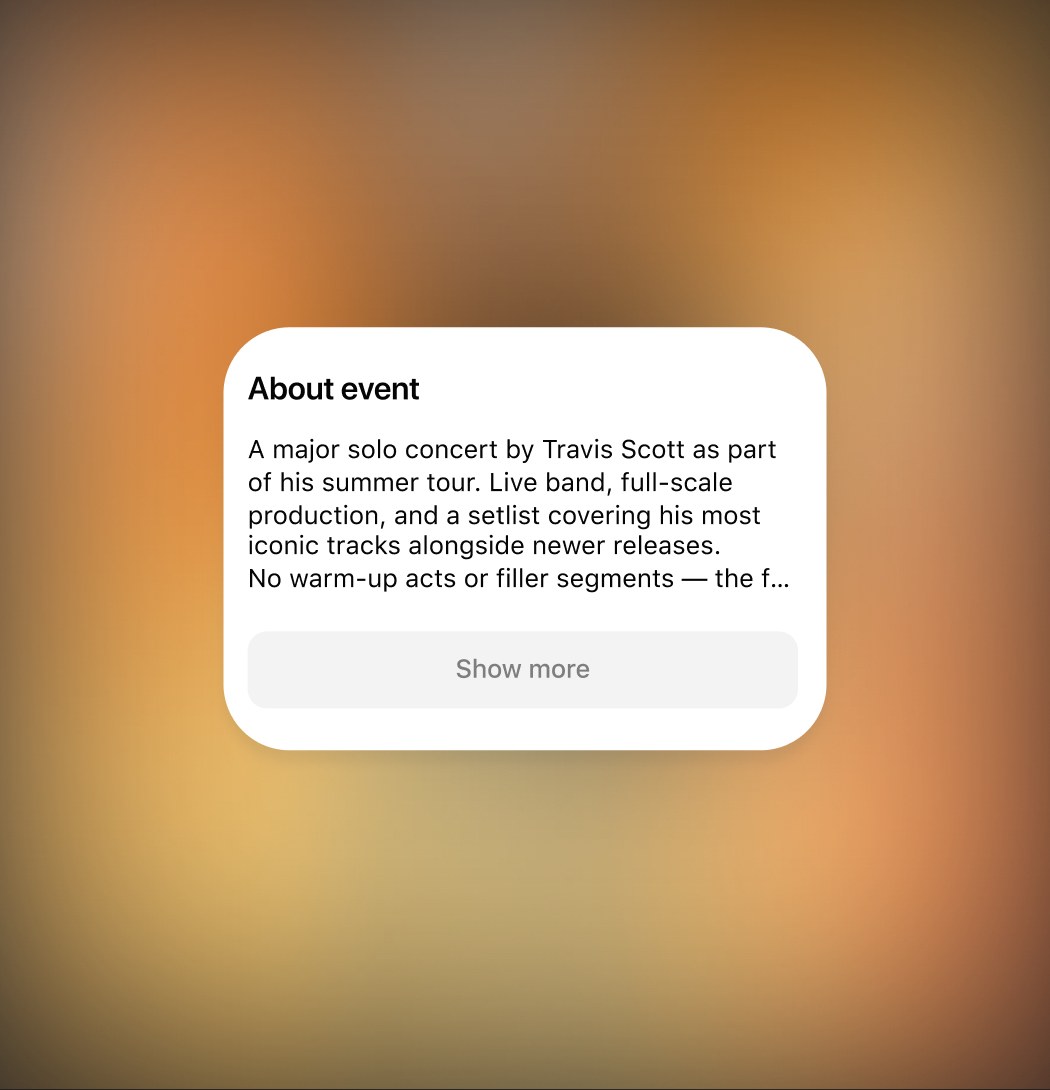
A shorter description
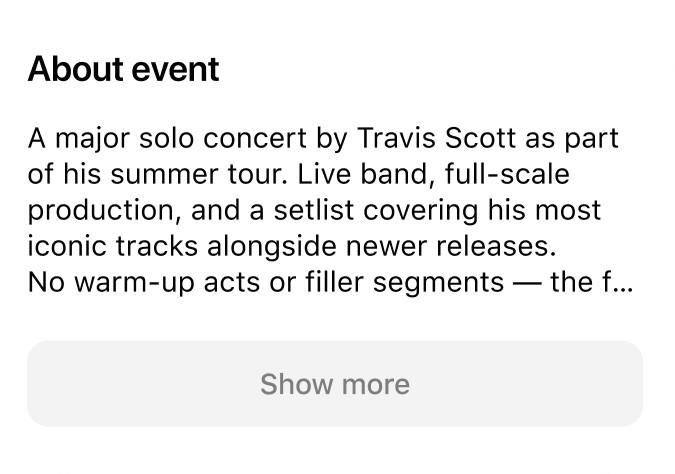
Reading the full description was the rarest action on the screen. Now it shows four lines, and Show more opens the full text in a pop-up.
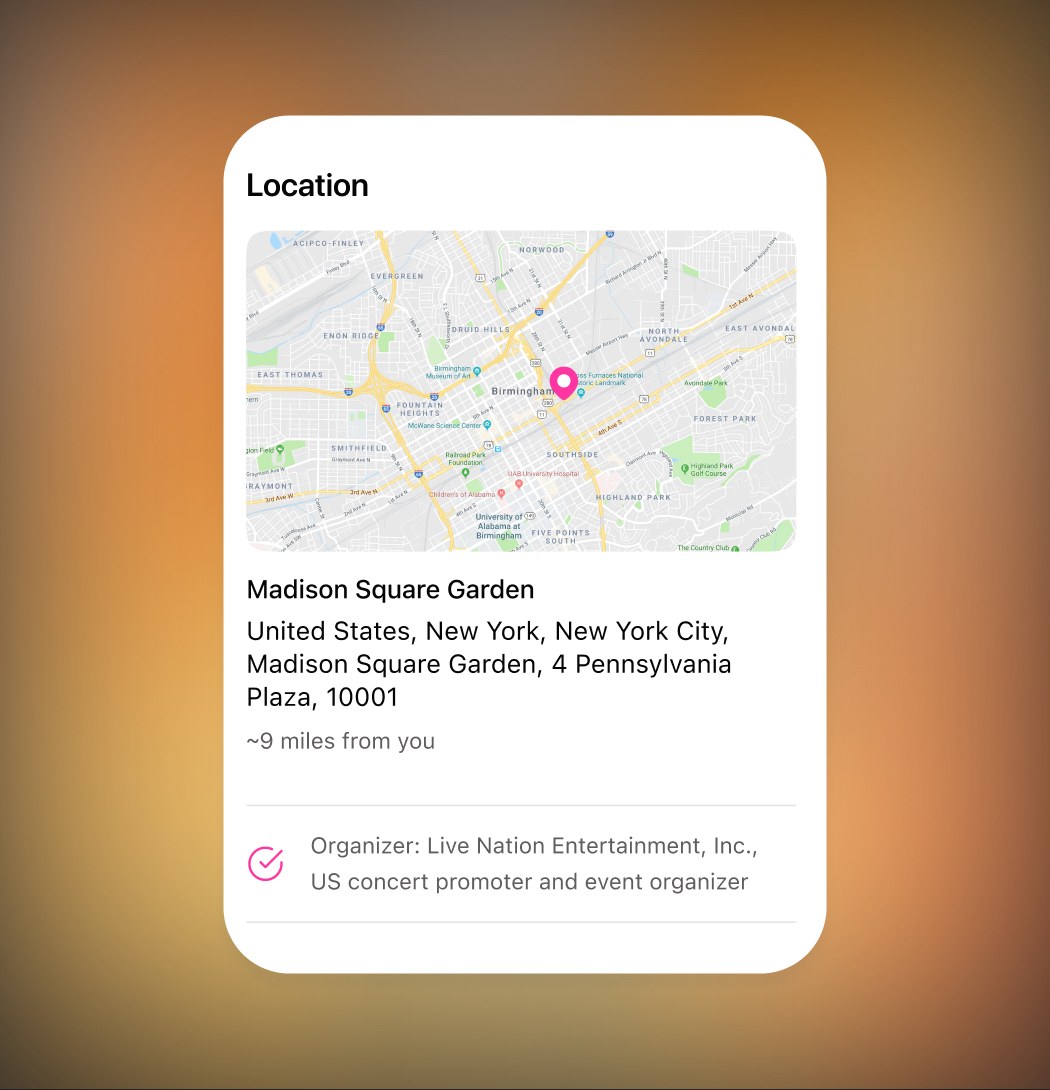
The map, with the address under it
The map moved down from the prime spot. Under it: the venue, the full address, and the distance. The verified organizer is a small sign of trust before paying.
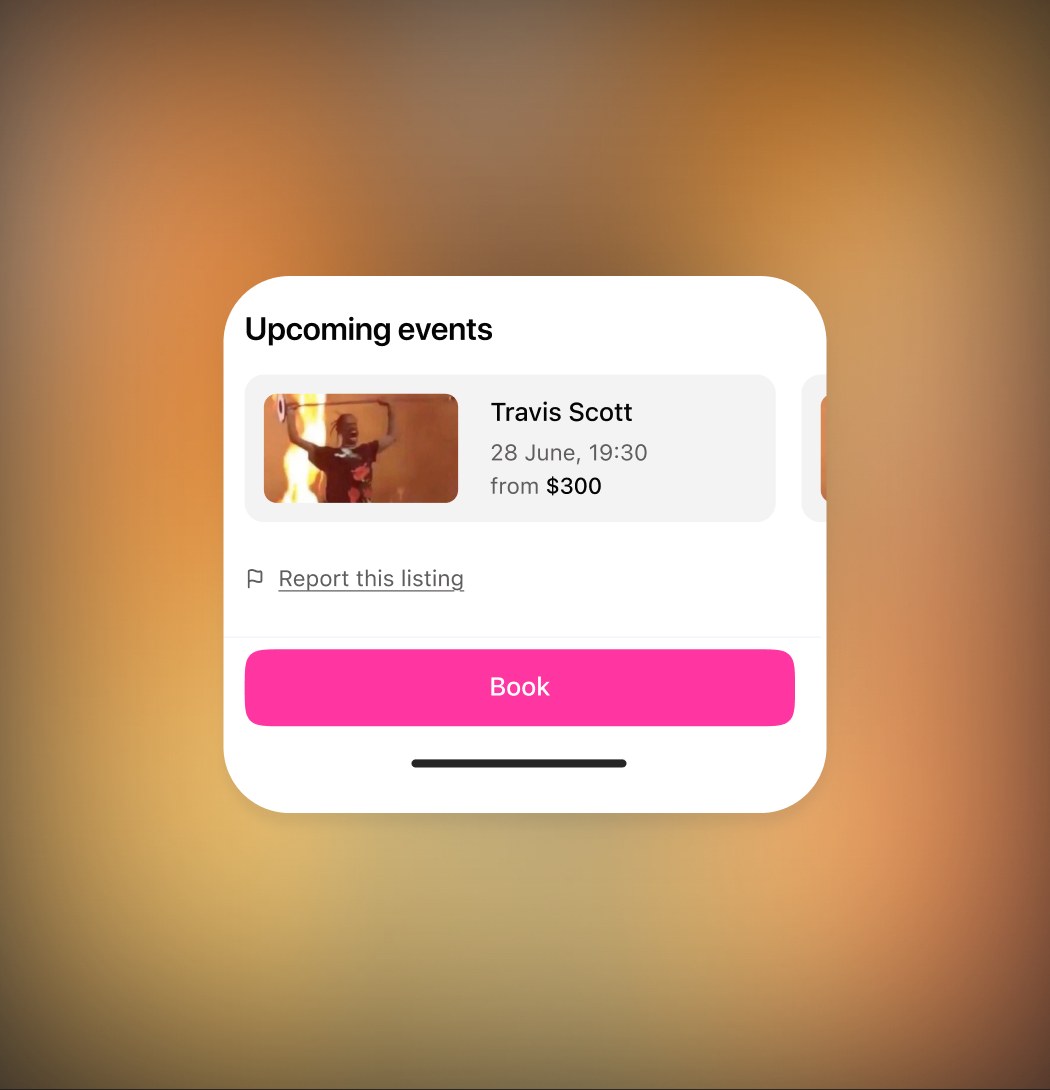
Book is always on screen, Report is at the very end
Book is pinned to the bottom and visible at any scroll position. Report became a small link at the end of the page: there for real reports, but nobody taps it by accident or reads it as a warning.
Success metrics
How I will know it worked
1. Event open to booking.The main metric. Today it's 6%.
2. Share of users who reach Book.With Book pinned, this should be close to everyone who opens an event.
3. Time from open to booking.If the hierarchy works, the decision gets faster.
4. Guest list opens, and bookings after them.Checks whether social proof turns into tickets.
5. Saved events opened again.Checks that the two saves are finally understood.
6. Report taps.Should drop to real reports only, now that it's out of the prime zone.
Reflection
What I took away
On a conversion screen, clear priority wins.
Every extra action takes attention from the purchase.
Look at scenarios, not at a picture.
The costliest problems, the double save and the crowded buttons, only showed up when I walked through the screen as tasks and states.
More work